Free Chrome extension
A rent price checker for Idealista and Imovirtual
Open a rental listing and see, right beside it, how the asking rent compares with verified Aluseg data for its parish, before you contact the landlord.
- Free
- Idealista and Imovirtual
- Chrome on a computer
How it works
Three steps, without leaving the listing
The extension opens a panel next to the listing. You don't need an account to see the comparison.
- Step 1
Add it to Chrome
Install the free extension in Chrome on your computer, from the Chrome Web Store.
- Step 2
Open a rental listing
On Idealista or Imovirtual, open the Aluseg panel next to the listing.
- Step 3
Read the comparison
See the asking rent against the estimated range for the parish, with the sources and the confidence level.
What you see
The asking rent, side by side with the parish data
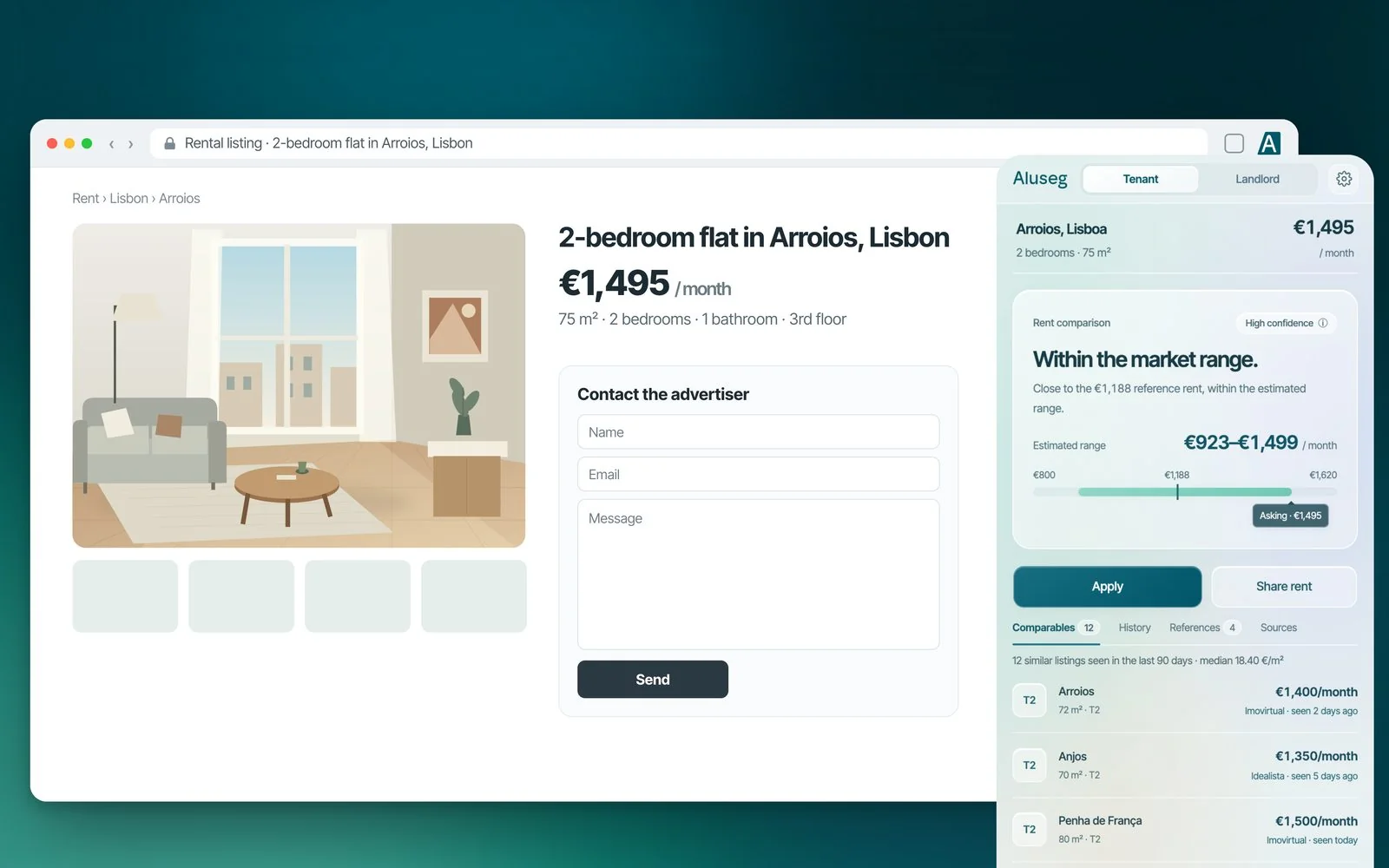
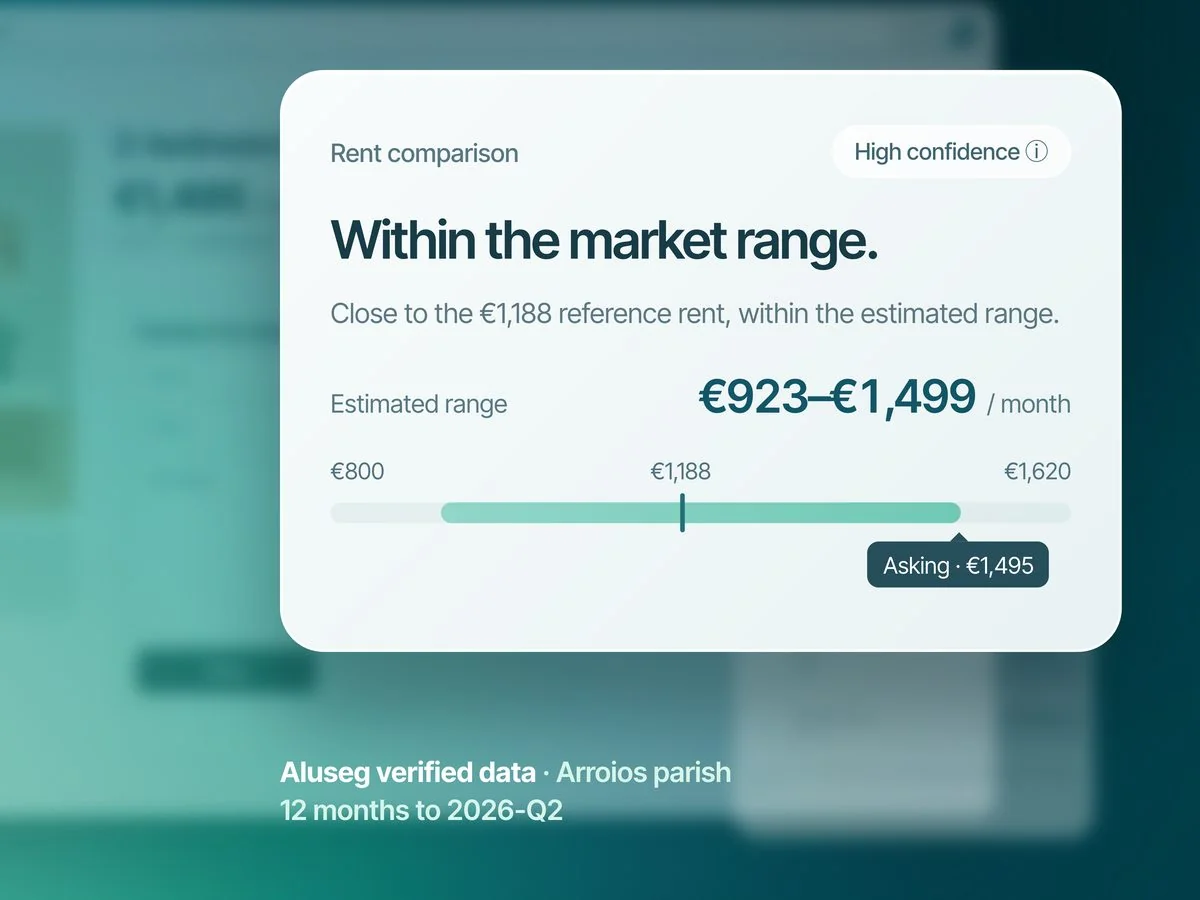
In the example, a 2-bedroom flat of 75 m² in Arroios is listed at 1,495 €. The panel reads "Within the market range" and shows the estimated range (923 € to 1,499 €), the reference rent (1,188 €) and the confidence level, with the source. Want the numbers for the area? See the rents in Arroios.
- Estimated range and reference rent for the parish
- Confidence level of the estimate
- Sources: INE statistics and leases registered on Aluseg
- Similar listings and price history, when available
Video
See it in 30 seconds
From the listing to the comparison, and from the comparison to your application, in one panel.

Video · 30 seconds
Parish-level data
The city average hides big differences
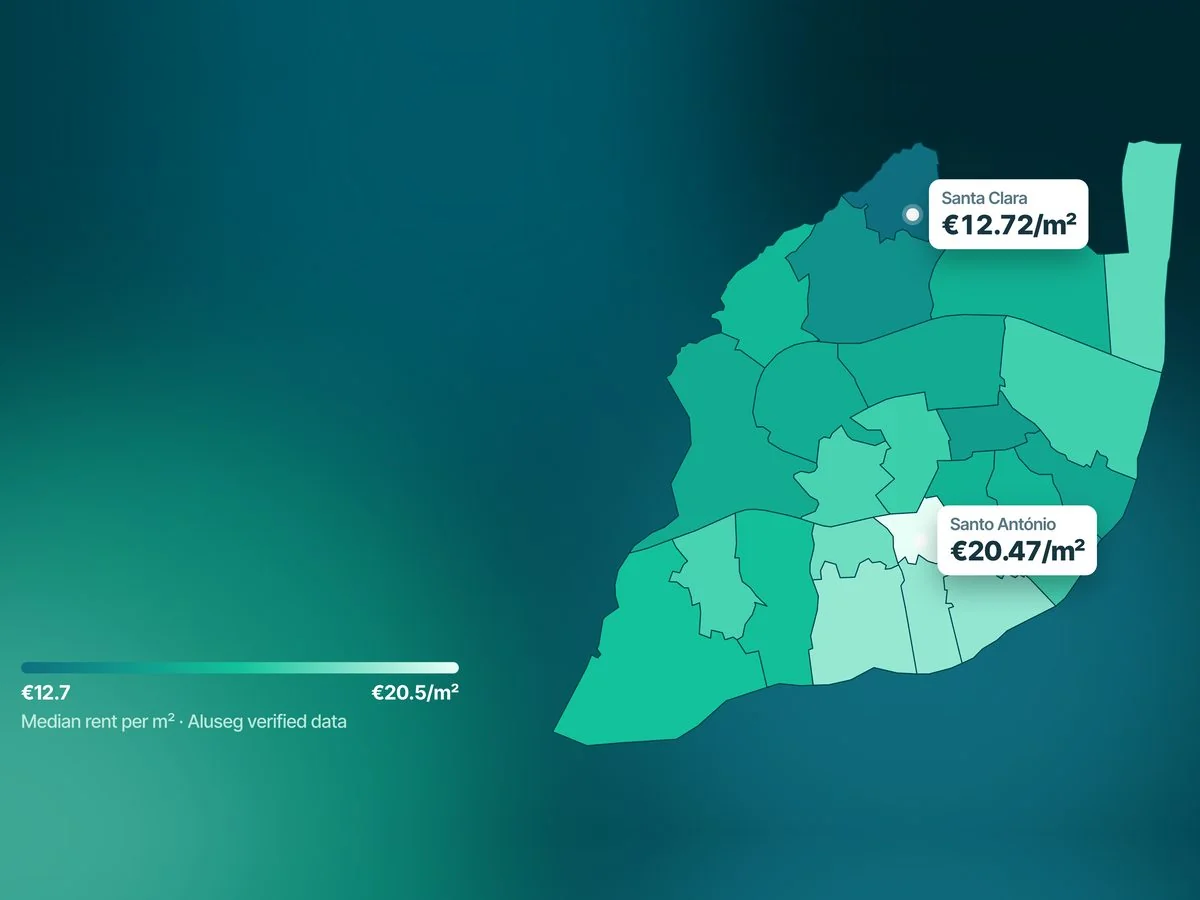
Rent prices in Portugal change a lot from one parish (freguesia) to the next. On the Lisbon map, the median rent goes from 12.72 €/m² in Santa Clara to 20.47 €/m² in Santo António (verified Aluseg data, 12 months to 2026-Q2).
That is why the extension compares the listing with its own parish whenever there is data, and tells you which level it used: parish, municipality or district. To explore on your own, see the Aluseg Rent Index and the rents in Lisbon.
- A parish-level reference whenever there is data
- Municipality or district as a fallback, shown in the panel
Application
Apply with your dossier, and stay in control
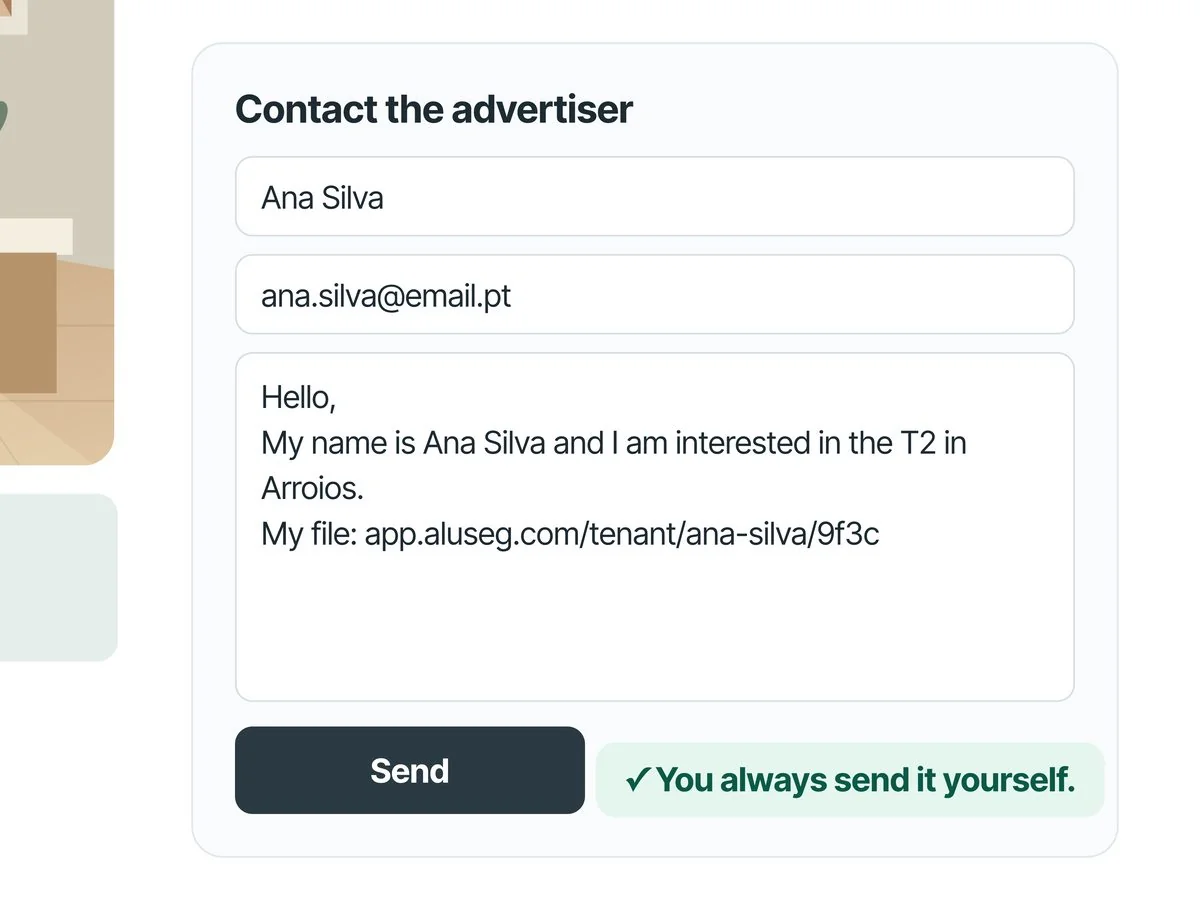
When you decide to contact the landlord, the extension prepares the listing's contact form with your details and a message in English or Portuguese, with the link to your tenant dossier.
Review it, edit what you like and press send: you always send it yourself.
- The extension never sends the application for you
- A message in English or Portuguese that you can edit
- Your dossier is only read when you prepare an application, and it is not stored in the browser
Optional
Share your rent and help people looking for a home
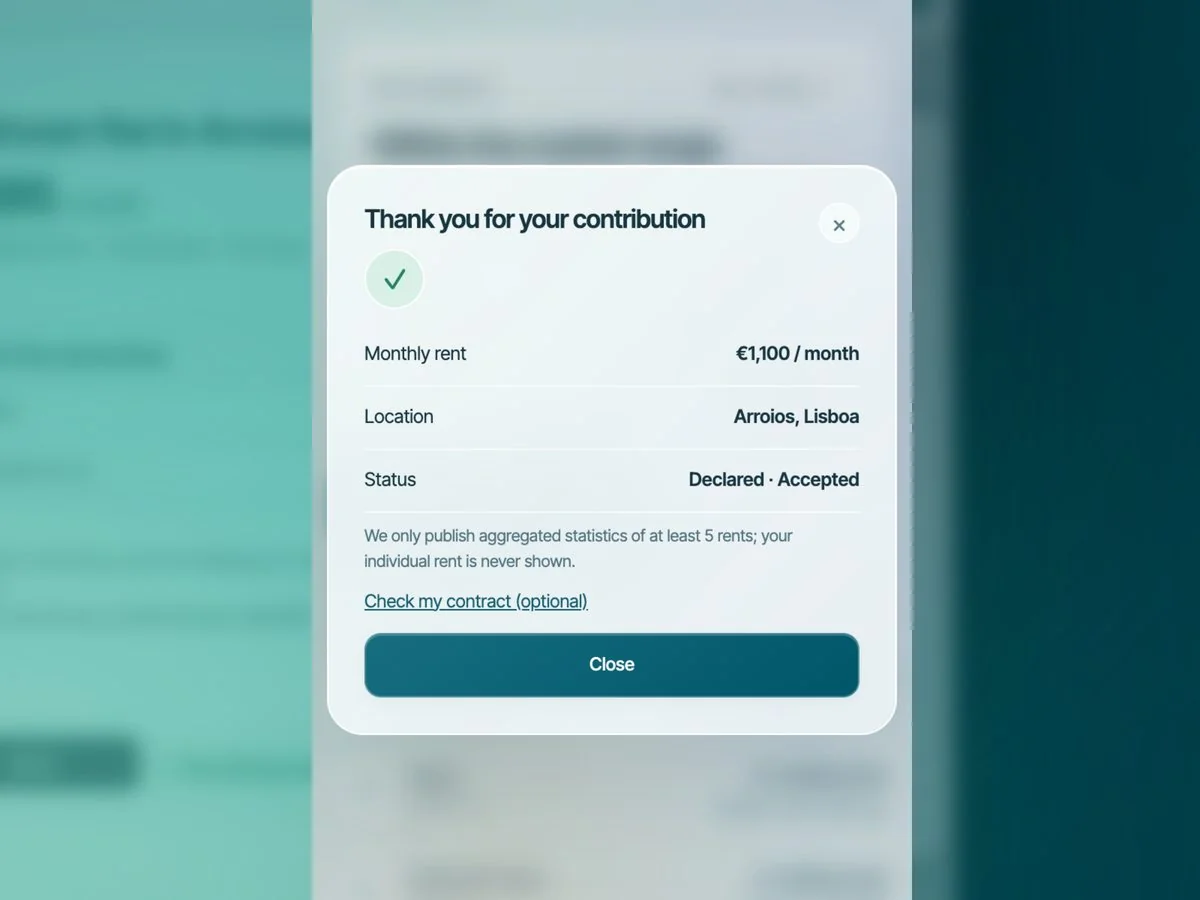
If you already rent, you can share the rent of your current lease to improve the references for your parish. Sharing is optional and asks for your consent.
The amount only goes into aggregated statistics of at least 5 rents, and your individual rent is never shown. It carries no name, e-mail or account.
- Optional, only with your consent
- No name, e-mail or account linked to the amount
- Only aggregated statistics of at least 5 rents are published
For landlords
Is your listing on Idealista or Imovirtual?
On your own listing page, the extension imports the property into Aluseg: the assistant opens already filled in, and the property is only created when you confirm. Then it creates the application link and prepares a reply to paste into the portal's message box.
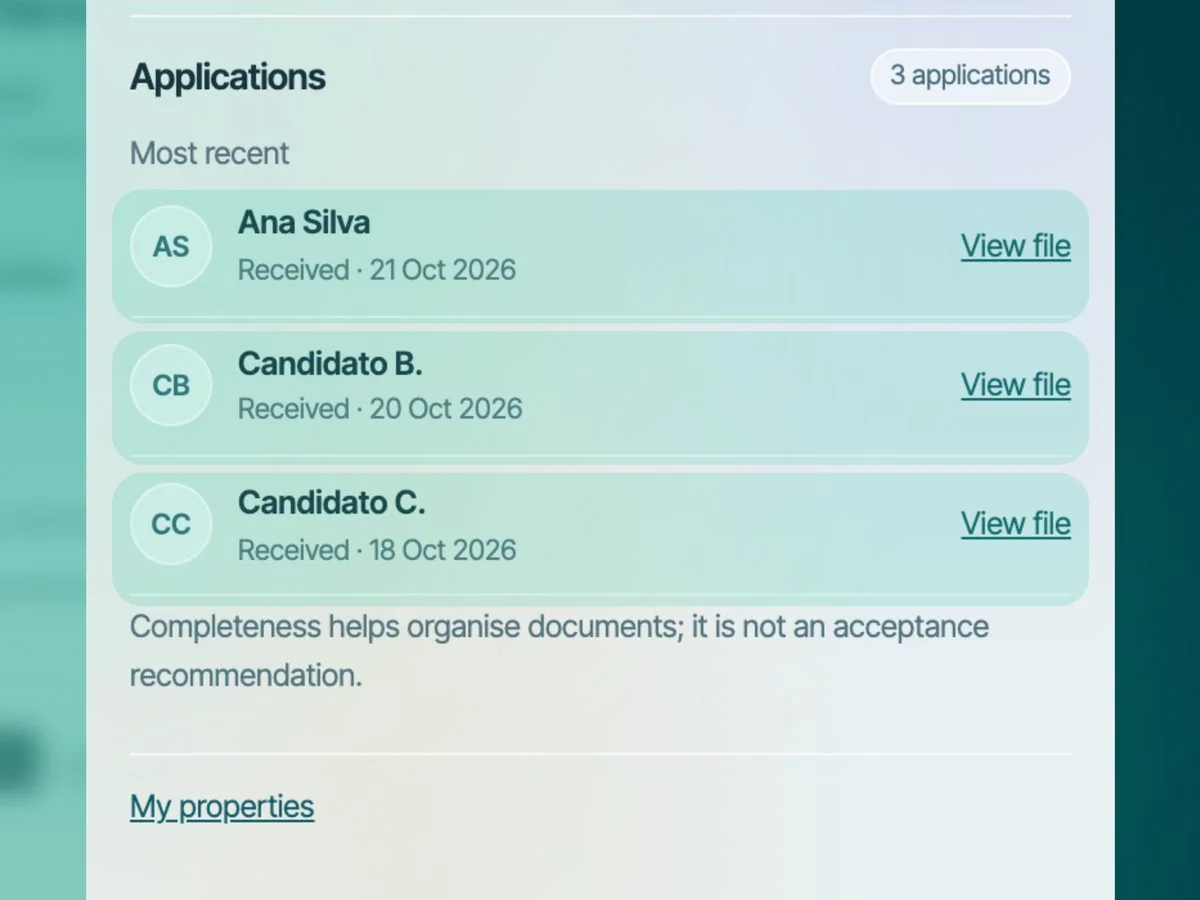
Applications you receive appear in the panel, with a link to view each applicant's dossier.
- Import the listing into Aluseg
- An application link for the property and a reply ready to paste into the portal
- Received applications in one panel
Keep going
More tools for people looking for a home
Rent estimator
Estimate the market rent by area, type and size. Works on your phone.
Estimate the rentTenant dossier
Identity, income and documents in one link, for every application.
Create the dossierRent index
Median rent by city, with the source in plain sight.
See the indexVerify your lease
Before you sign, get the points to review by e-mail.
Verify the lease
Frequently asked questions
Before you install
Can I use the extension on my phone?
No. The extension is for Chrome on a computer. On your phone, use the rent estimator, which estimates the market range by area, type and size.
How much does the extension cost?
It is free. You install it from the Chrome Web Store, and you don't need an account to see the comparison for a listing.
Is Aluseg affiliated with Idealista or Imovirtual?
No. Aluseg develops the extension. Idealista and Imovirtual identify the compatible sites; naming them does not imply a partnership or an endorsement.
Where does the rent data come from?
From official INE statistics and leases registered on Aluseg, at parish level whenever there is data; if there isn't, it uses the municipality or the district. Each analysis shows the source, the period and the confidence level. Asking rents and contracted rents are different references.
How can I tell if a rent in Portugal is above the market?
Compare the asking rent with the estimated range for the parish; the extension does this on the listing itself. Being above or below the range is a starting point, not a verdict, because condition, furniture or floor can explain the difference. It does not guarantee a lower rent.
Does the extension read my data?
It reads the listing page you opened, only on Idealista and Imovirtual. With your consent, it sends Aluseg the area, the type, the size and the monthly rent to compute the comparison, and it does not send the listing link, the street, the photos or your account data. Your dossier is only read when you prepare an application. See the privacy policy.
Does the extension send my application for me?
No. It fills in the listing's contact form with your details and the message, but you review it and press send. It does not tick the portal's acceptance boxes either.
I'm moving to Portugal. Is the extension available in English?
Yes. The extension is available in English, and the message to the landlord can be in English or Portuguese.
How do I send feedback or report a problem?
In the extension's settings, under Suggestions and problems, or by e-mail to hello@aluseg.com.
Check the rent on the next listing you open.
Free · Idealista and Imovirtual · Chrome on a computer